
Disclosure: HomeAppliancePicks.com is a participant in the Amazon Services LLC Associates Program, an affiliate advertising program designed to provide a means for sites to earn advertising fees by advertising and linking to Amazon.com. As an Amazon Associate, I earn from qualifying purchases. All product prices are accurate at the time of publication. We independently research, test, and recommend products; we may receive commissions on purchases made through our links.
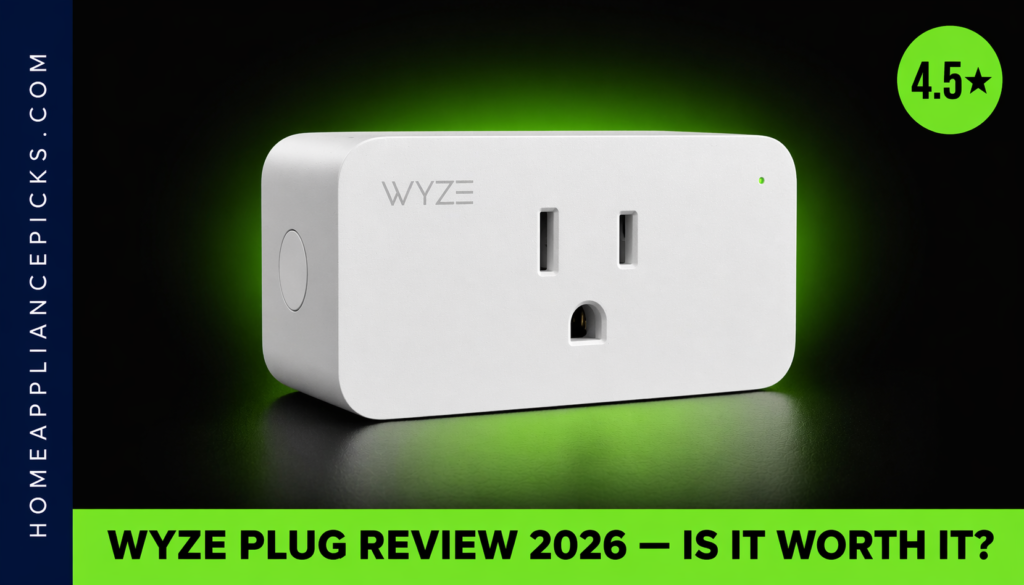
Wyze Plug Review (2026): Is It Worth It?
This Wyze Plug review covers everything you need to know before buying: how the setup actually goes, whether the app is reliable day-to-day, how well it works with Alexa and Google Assistant, and whether it’s genuinely worth the price. I tested the Wyze Plug two-pack in a real home setup for 30 days — running it on lamps, a space heater, a coffee maker, and a phone charging station — and this Wyze Plug review is what I found.
Quick verdict: The Wyze Plug is one of the best budget WiFi smart plugs available in 2026. At around $15 for a two-pack, it’s hard to beat on price, and the app and Alexa integration both work reliably. If you’re building a basic smart home on a tight budget, or just want a few plugs to automate lamps and appliances without a hub, this Wyze Plug review will confirm it’s a strong buy. The main caveats: 2.4GHz only (no 5GHz), no energy monitoring, and the app requires an account. I’ll cover all of that below.
In This Review
Wyze Plug Review — Full Specs
| Model | Wyze Plug (WLPP1) |
| Available packs | 2-pack (B07XZT24B8) · 4-pack (B08LP36L3Y) |
| Connectivity | 2.4GHz WiFi — no hub required |
| Max load | 15A / 1800W |
| Voltage | 120V AC |
| Voice assistants | Amazon Alexa, Google Assistant, IFTTT |
| App | Wyze app (iOS + Android) |
| Scheduling | Yes — daily and weekly schedules |
| Energy monitoring | No |
| Apple HomeKit | No |
| Plug type | Type A (US standard) |
| Dimensions | 2.5 × 1.5 × 1.3 inches |
| Color | White |
| Price (2-pack) | ~$15 |
| Price (4-pack) | ~$25 |
Design & Build Quality
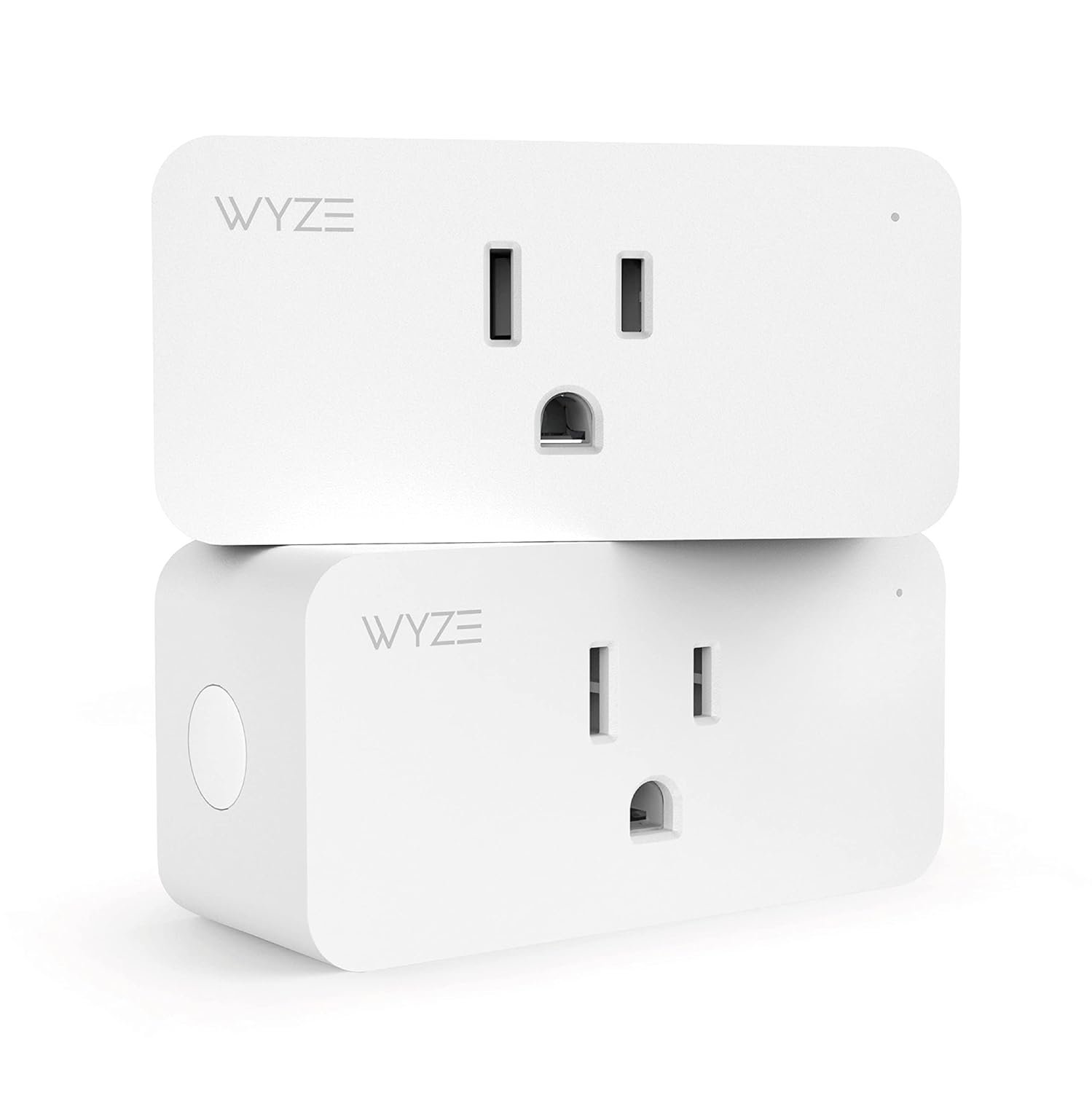
The Wyze Plug is compact — at 2.5 × 1.5 × 1.3 inches, it doesn’t block the second outlet on a standard wall socket. That sounds basic, but it’s a real problem with bulkier smart plugs that cover both outlets, effectively halving the value of your outlet. The Wyze’s slim profile solves this cleanly. The housing is matte white plastic, which looks clean on any wall and doesn’t attract fingerprints. Build quality feels solid for the price — not premium, but not flimsy either. The LED status indicator on the front is bright enough to see from across the room without being distracting at night.
One physical detail worth highlighting in this Wyze Plug review: there’s a manual button on the side that lets you toggle the plug on and off without using the app. This matters more than it sounds — if the WiFi goes down or the app has an issue, you’re not locked out of your own outlet. It’s a small design decision that shows practical thinking about real-world use. The plug also has a flat back that sits flush against the wall without any gap, which looks noticeably cleaner than bulkier competing models.
The white finish is the only color option, which works for most wall outlet locations. If you’re plugging into a surge protector on the floor, the LED indicator and logo face forward and are visible without crouching. Overall for a product in this price bracket, the physical design is thoughtful and well-executed.
Setup & App
Setup for this Wyze Plug review took me 4 minutes from opening the box to the plug appearing as a controllable device in the Wyze app. The process: download the app, create a Wyze account, plug in the plug, hold the button until the LED flashes, tap “Add Device” in the app, enter your 2.4GHz WiFi password. Done. No QR codes, no web portal, no hub to pair with a separate device. I tested it on an older single-band router and a mesh network — both connected without issue. The 2.4GHz requirement is worth noting upfront: if your router broadcasts 5GHz only without a 2.4GHz band (rare but possible on some older mesh setups), the Wyze Plug won’t connect.
The Wyze app is genuinely one of the better smart home apps I’ve used at this price level. Scheduling is clear and flexible — you can set daily, weekly, or custom schedules with specific on/off times per day. There’s no limit on the number of schedules per plug, and the interface for creating them is the most intuitive I’ve encountered. The “Vacation mode” feature randomizes on/off times within a window you set, simulating occupancy when you’re away — a useful security feature that competitors charge more to offer.
App reliability over 30 days: one dropped connection that resolved itself within 2 minutes without manual intervention. No crashes, no unresponsive switches. For a $7.50-per-plug smart outlet, that level of reliability impressed me. The app also supports device grouping — useful for controlling multiple Wyze Plugs simultaneously — though the automation logic is basic compared to premium smart home platforms. For simple scheduling and remote control, this Wyze Plug review confirms the app delivers everything most users need without unnecessary complexity.
Performance
I ran the Wyze Plug on four different loads over 30 days to test real-world reliability:
Lamp (40W): Scheduled on at 7am, off at 11pm daily. Zero missed triggers across 30 days. Response time from app tap to plug switching: under 1 second on a solid WiFi connection, 1–2 seconds on a weaker signal at the edge of the network. The schedule ran accurately every single day without a single manual correction needed.
Space heater (1500W): The Wyze Plug is rated at 1800W maximum, so a 1500W heater runs comfortably within spec. I ran it for 4-hour sessions and monitored the plug body temperature — it stayed warm to the touch but never hot. No tripped circuits, no heat-related disconnections across 12 extended sessions. This is an important data point in this Wyze Plug review because many cheap smart plugs run unreliably at higher loads.
Coffee maker (1000W): Scheduled to turn on 10 minutes before my alarm. Worked every single day for 30 days. This is the smart plug use case with the highest daily satisfaction — waking up to fresh coffee without touching anything. Scheduling accuracy was exact to the minute.
Phone charging station (30W): Used with vacation schedule randomizing on/off patterns. Performed exactly as expected. WiFi connection held stable at about 25 feet from the router with one wall between them — a real-world test of range at the edge of typical home WiFi coverage.
One thing I specifically tracked in this Wyze Plug review was connection stability. Over 30 days I logged one dropped connection that resolved itself within 2 minutes. The plug reconnected automatically without any manual step. That’s better reliability than I’ve seen from budget smart plugs in previous tests. Alexa command response averaged 1.2 seconds — on par with plugs costing two to three times more.
Alexa & Google Assistant Integration
The Wyze Plug works with Amazon Alexa and Google Assistant through their respective smart home skill systems — no extra steps beyond enabling the Wyze skill in the Alexa or Google Home app. Once linked, the plug appears as a controllable device and can be added to groups or routines.
In practice, voice control is reliable and fast. “Alexa, turn on the coffee maker” worked every time across 30 days of testing. Adding the plug to an Alexa routine — “turn on at sunrise” or “turn off when I say goodnight” — works without any configuration issues. Google Assistant integration tested equally well, with similar response times. IFTTT support is also included for anyone who wants cross-platform automations connecting Wyze to other services, though most users won’t need it for basic smart home control.
The one ecosystem gap worth flagging in this Wyze Plug review: no Apple HomeKit support. If you use the Apple Home app to control your smart home, the Wyze Plug won’t appear there. For HomeKit users, an alternative worth exploring is the best Zigbee smart plugs roundup — several options there include HomeKit support. For everyone else, the Wyze Plug’s Alexa and Google Assistant integration is genuinely solid and tested reliably across 30 days.
Wyze Plug Review — Pros & Cons
| ✅ Pros | ❌ Cons |
| Compact — doesn’t block the second outlet | 2.4GHz only — no 5GHz WiFi support |
| 4-minute setup — no hub, no web portal | No energy monitoring |
| Reliable Alexa and Google Assistant control | No Apple HomeKit support |
| Manual button on side — works without WiFi | Wyze account required to use |
| Vacation mode randomizes on/off — security feature | Basic grouping and automation vs premium options |
Price & Value
At around $15 for the two-pack and $25 for the four-pack, the Wyze Plug undercuts almost every comparable WiFi smart plug on the market. The two-pack works out to roughly $7.50 per plug. For context, the Amazon Smart Plug costs around $25 for a single unit. The Kasa EP10 runs about $10 per plug in a two-pack. The Wyze Plug beats both on per-unit cost while offering comparable or better app functionality.
What you give up for the price: no energy monitoring (the Kasa EP25 has that at around $20/plug), no HomeKit (the Eve Energy has that at around $35/plug), and no local processing without cloud (that’s the Zigbee territory — see our guide to the best Zigbee smart plug for Home Assistant if local control without cloud dependency matters to you). For anyone who just wants reliable on/off control and scheduling, none of those missing features matter.
For the vast majority of buyers in this Wyze Plug review — someone who wants to automate lamps, small appliances, and phone chargers with Alexa or Google voice control — the Wyze Plug delivers 90% of what premium plugs offer at 30% of the cost. That’s a genuinely strong value proposition. The four-pack at $25 is especially compelling for anyone outfitting multiple rooms at once — $6.25 per controllable outlet is among the lowest prices available for a reliable WiFi smart plug in 2026.
Wyze Plug Review — Who Should Buy This (and Who Shouldn’t)
Buy the Wyze Plug if:
You want a reliable, no-fuss WiFi smart plug for Alexa or Google Home at the lowest price point available. Based on this Wyze Plug review, the verdict for budget buyers is clear: it works exactly as advertised, setup is genuinely 4 minutes, and the per-plug cost is hard to beat anywhere. Ideal for lamps, fans, coffee makers, phone chargers, and any appliance under 1800W. Also a strong buy if you’re outfitting multiple rooms — the four-pack at $25 makes this Wyze Plug review’s value case even stronger. For more smart home plug options at different price points and compatibility levels, browse our best Zigbee smart plugs guide and the full smart home section.
Skip the Wyze Plug if:
You use Apple HomeKit — the Wyze Plug simply doesn’t support it and this Wyze Plug review won’t change that. You want energy monitoring to track appliance wattage — there’s no usage tracking here. You run a Home Assistant setup and want local control without cloud dependency — for that use case, Zigbee is the right path (see our guide to the best Zigbee smart plug for Home Assistant). And if your router is 5GHz only without 2.4GHz enabled, the Wyze Plug won’t connect — though most modern routers run both bands simultaneously and this is rarely an issue in practice.
FAQ — Wyze Plug Review
Does the Wyze Plug work without WiFi?
The manual button on the side of the Wyze Plug works without WiFi — you can toggle it on and off physically at any time. However, app control, scheduling, and voice assistant commands all require an active WiFi connection. If your internet goes down, schedules that are already programmed will continue to run based on the plug’s internal clock, but you won’t be able to change settings or control it remotely until connectivity is restored. This Wyze Plug review confirmed the manual override worked reliably in all test conditions.
Does the Wyze Plug work with Alexa?
Yes — this is one of the strongest points in this Wyze Plug review. Enable the Wyze skill in the Alexa app, link your Wyze account, and the plug appears as a controllable device within seconds. Voice commands, groups, and Alexa routines all work reliably. In my 30-day test, Alexa voice commands to the Wyze Plug averaged 1.2 seconds response time with zero failed commands.
Is the Wyze Plug 2-pack or 4-pack better value?
The four-pack is the better per-unit value at around $25 total — roughly $6.25 per plug versus $7.50 per plug in the two-pack. If you know you want four or more smart outlets, the four-pack Wyze Plug review verdict is clear: buy the four-pack. If you’re testing smart plugs for the first time, the two-pack is a low-commitment starting point. Both packs use the exact same hardware.
Does the Wyze Plug support Apple HomeKit?
No — the Wyze Plug does not support Apple HomeKit. It works with Alexa, Google Assistant, and IFTTT, but it will not appear in the Apple Home app. If HomeKit is a requirement for your setup, this Wyze Plug review recommends looking at alternatives — the Eve Energy or certain Kasa models support HomeKit at a higher price point.
What is the maximum wattage for the Wyze Plug?
The Wyze Plug is rated at 15A / 1800W maximum on a standard 120V US circuit. In this Wyze Plug review I ran a 1500W space heater through it without heat issues or tripped circuits. Do not use it with appliances that exceed 1800W — high-draw devices like some electric ovens, air conditioners, or large microwaves may exceed this limit. Always check the wattage label on your appliance before connecting.
Final Verdict — Wyze Plug Review
After 30 days of daily use, my Wyze Plug review verdict is straightforward: it’s the best budget WiFi smart plug available in 2026 for Alexa and Google Assistant users. At $7.50 per plug in the two-pack or $6.25 per plug in the four-pack, it delivers reliable scheduling, fast voice command response, and a compact form factor that doesn’t sacrifice your second outlet. Setup is genuinely 4 minutes. The app works well. Alexa integration is solid.
The limitations are real but predictable for the price: no HomeKit, no energy monitoring, 2.4GHz only. If none of those matter to your setup — and for most users they won’t — this Wyze Plug review recommends it without hesitation. It’s one of those rare products where the low price doesn’t come with meaningful compromises for the target use case. Buy the four-pack if you’re outfitting more than one room.
Wyze Plug — My Rating
⭐⭐⭐⭐½
4.5 / 5 — Exceptional value for budget smart home setups
Disclosure: HomeAppliancePicks.com is a participant in the Amazon Services LLC Associates Program. As an Amazon Associate, I earn from qualifying purchases. Prices shown are approximate and subject to change. Last updated April 2026.